
SMART & Endurance Forecasting
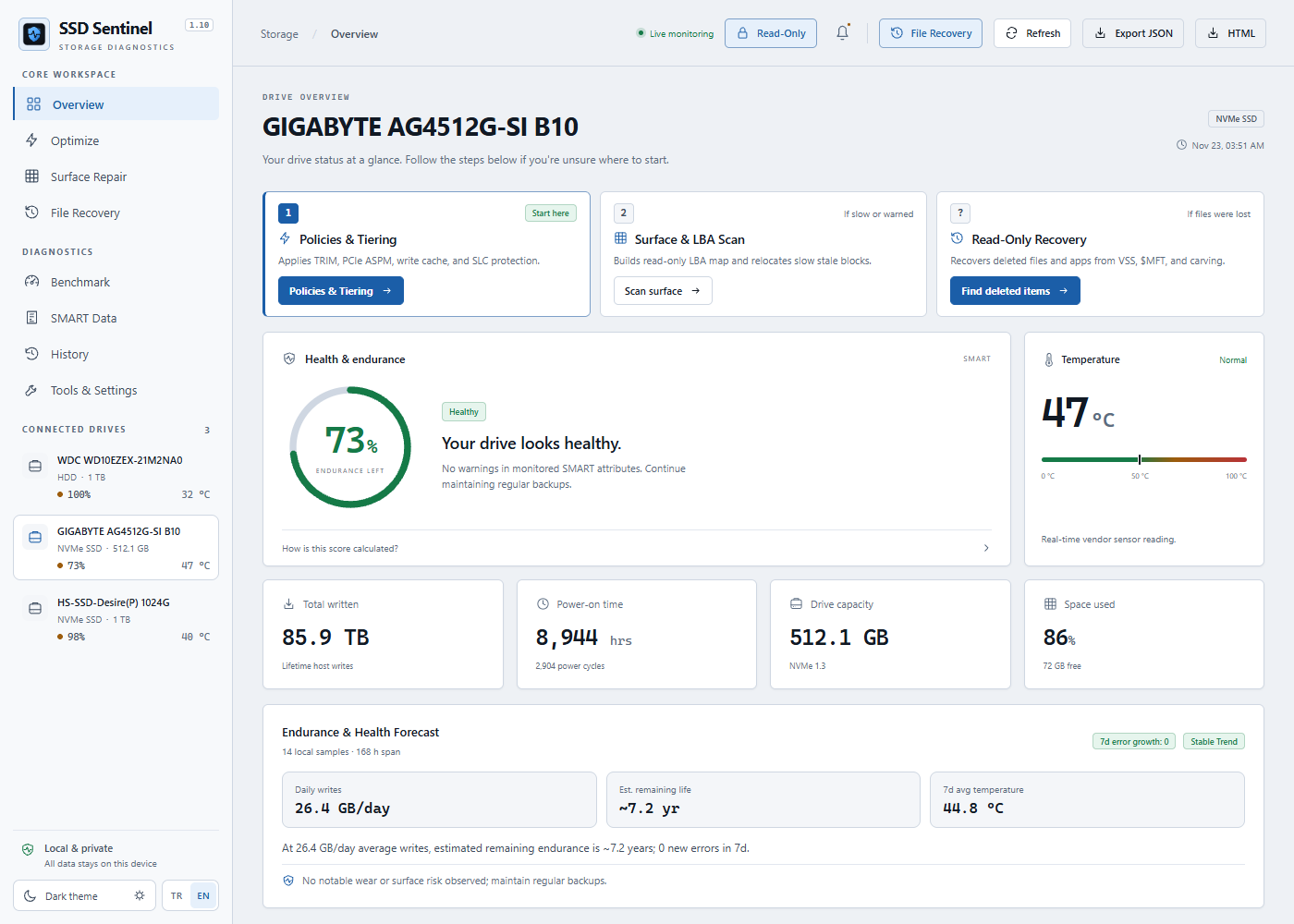
Reads live NVMe, SATA SSD, and HDD SMART counters via smartctl with per-disk fault isolation (read_incomplete). Logs up to 720 samples locally in SQLite to project daily write rates and remaining years.
Monitor NVMe & SATA SMART health, project drive lifespan, run Win32 IOCP Direct-I/O benchmarks, inspect raw LBA surfaces, and recover deleted NTFS files read-only — with zero ads, zero hidden telemetry, and a hardware-safe Default Read-Only Guard.
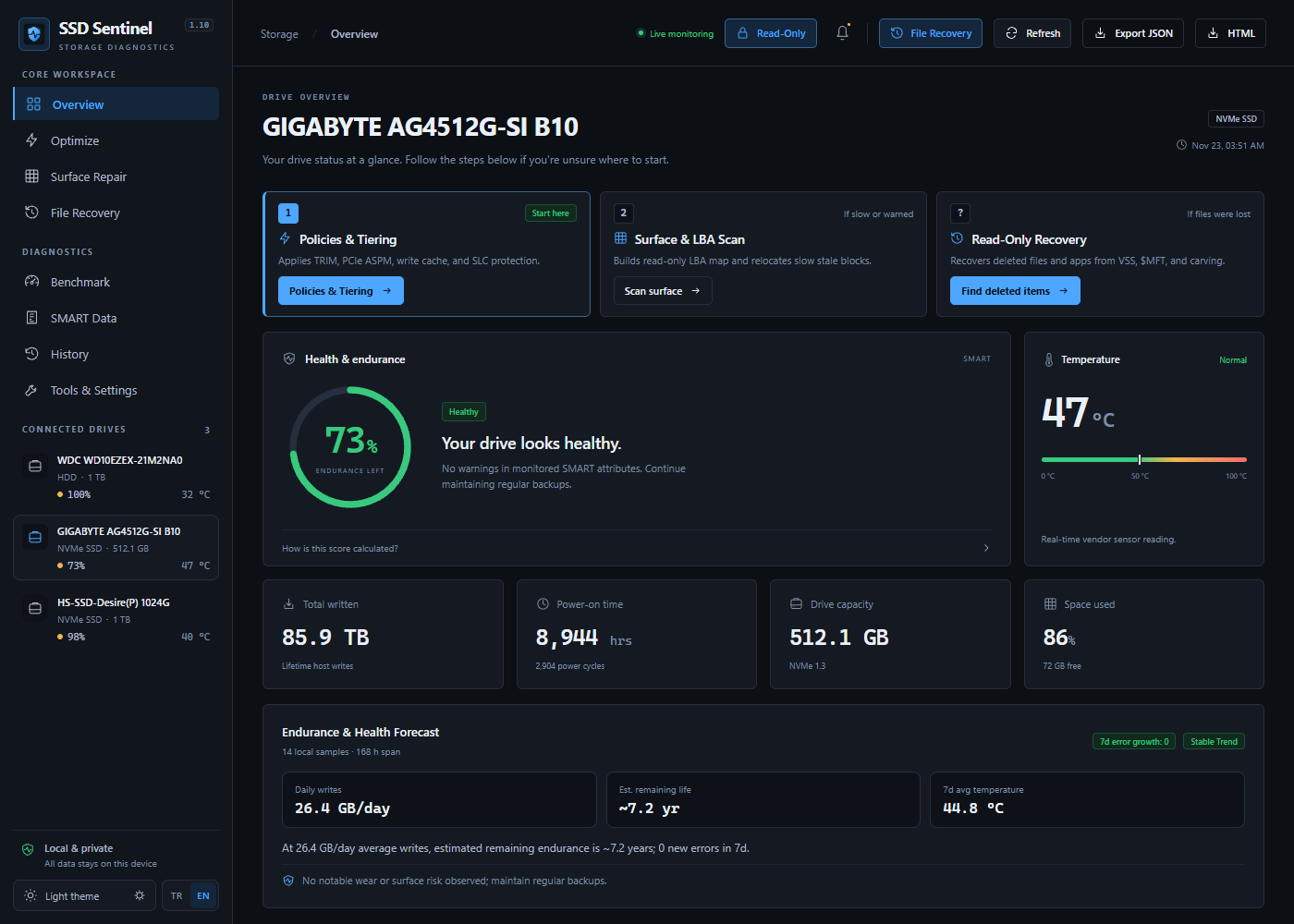
What is SSD Sentinel? SSD Sentinel is a clean-room Windows 10/11 storage diagnostics and safety suite written in Rust and TypeScript. Designed as a free, open-source alternative to CrystalDiskInfo and Hard Disk Sentinel, it combines SMART health tracking, wear forecasting, raw Win32 IOCP benchmarking, 200-zone LBA surface diagnostics, SHA-256 NTFS Junction tiering, and strictly read-only forensic file recovery in a single ~3.7 MB installer.
Reads live NVMe, SATA SSD, and HDD SMART counters via smartctl with per-disk fault isolation (read_incomplete). Logs up to 720 samples locally in SQLite to project daily write rates and remaining years.
Measures true unbuffered storage throughput (SEQ & RND 4K MB/s, IOPS, µs latency) using FILE_FLAG_NO_BUFFERING | OVERLAPPED and checks PCIe/SATA link speeds for hardware bottlenecks.
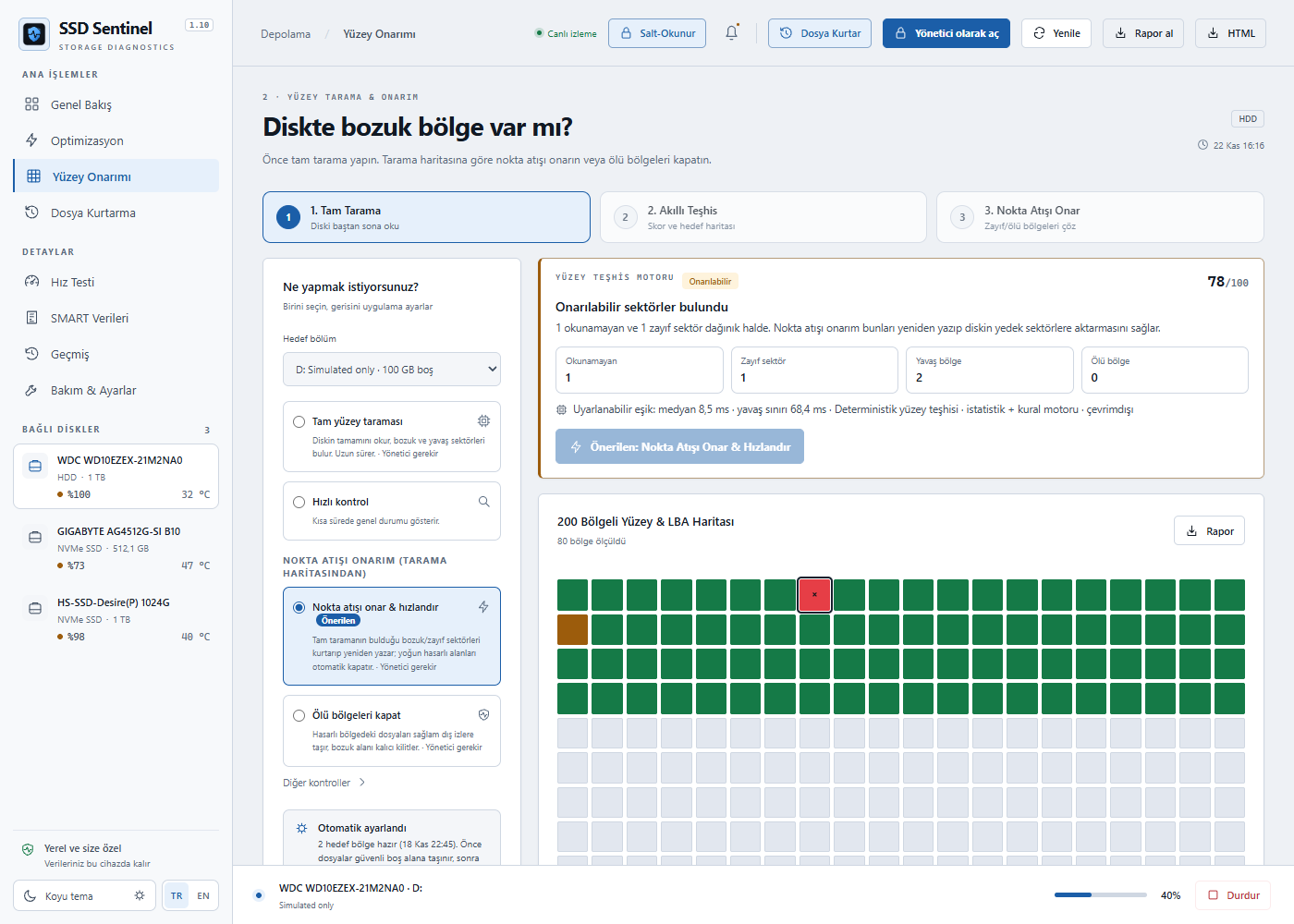
Performs read-only raw LBA latency mapping with resumable checkpoints, a 53 °C thermal cooldown pause, a +8 reallocated sector cascade abort, and atomic FSCTL_MOVE_FILE cluster relocation.
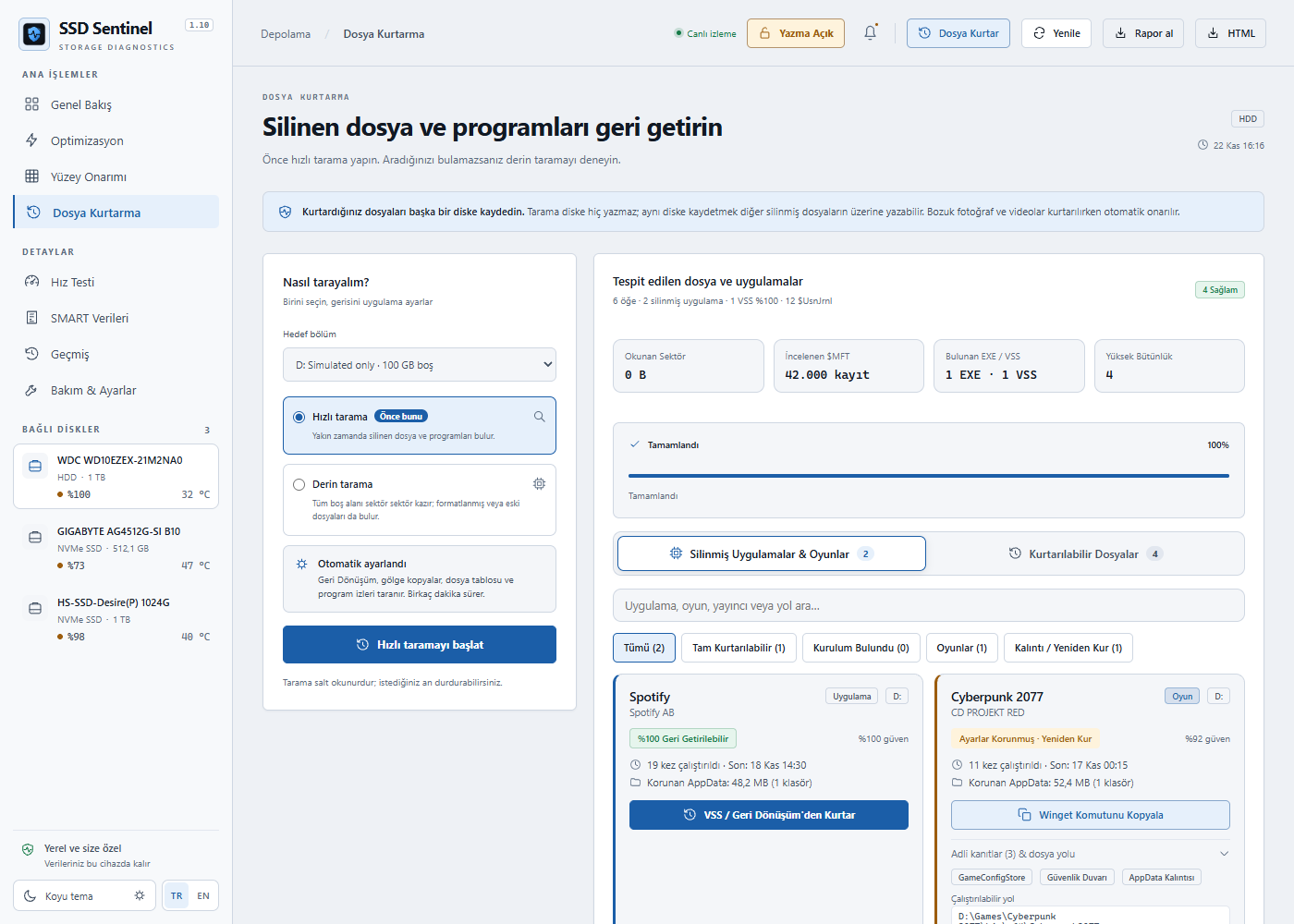
Scans $MFT, $UsnJrnl, $I30 slack, VSS Shadow Copies, and file signatures strictly read-only, reconstructs deleted apps, and repairs JPEG/PNG/MP4 headers into a separate destination folder.
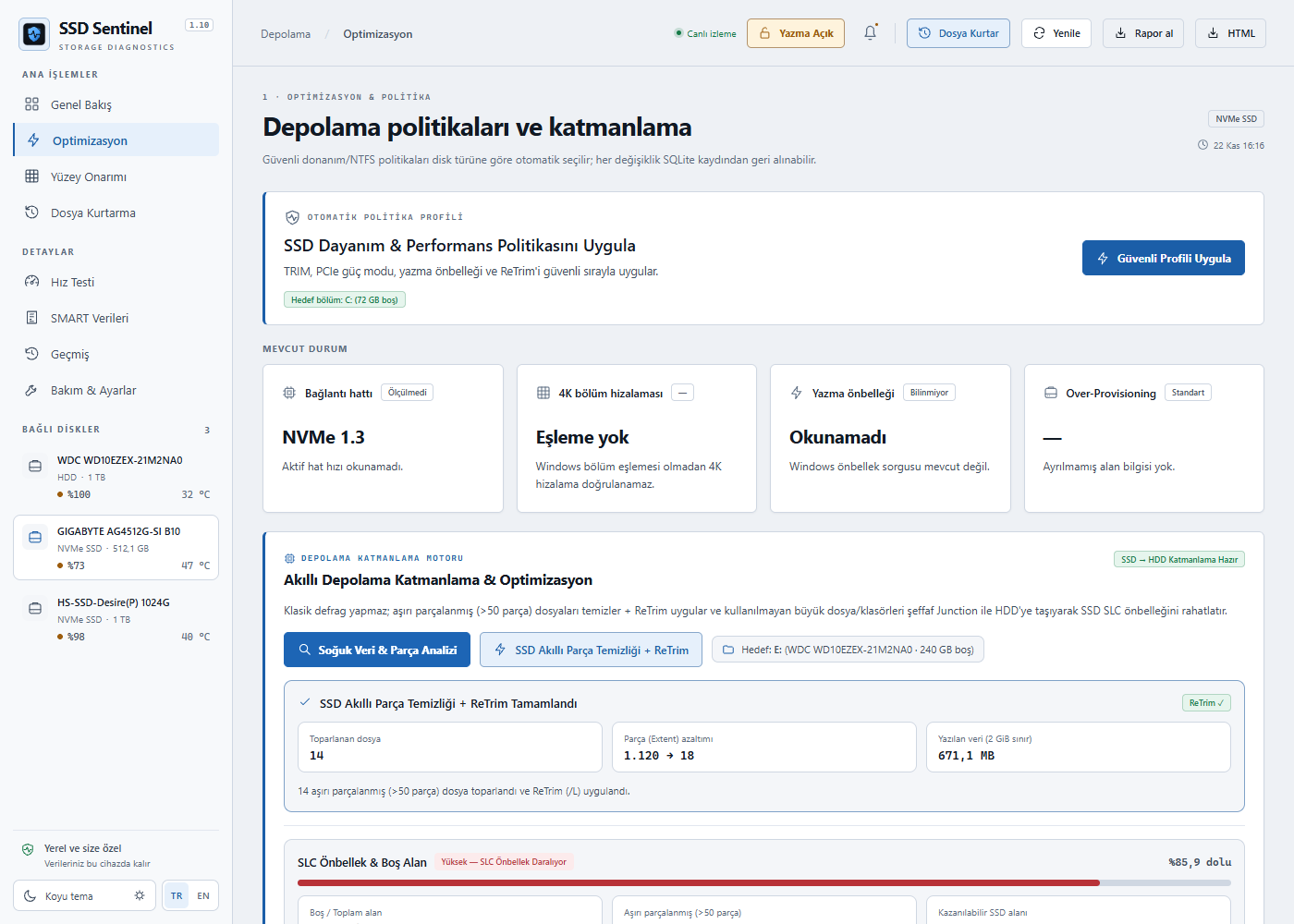
Blocks classic SSD defrag while offloading cold folders or developer/LLM caches across volumes using streaming SHA-256 verification and native FSCTL_SET_REPARSE_POINT junctions with one-click rollback.
Every fresh install boots with read_only_guard = true in Rust. Benchmarks, surface repairs, tier moves, and policy changes stay locked until explicitly unlocked and confirmed via Dry-Run Execution Manifests.
Code Signing Transparency (SmartScreen): Community installers are currently open-source unsigned builds (no commercial EV Authenticode certificate), so Windows Defender SmartScreen may show an "Unknown Publisher" prompt on first launch. Verify every download cryptographically before running:
gh attestation verify "SSD-Sentinel_1.10.1_x64-setup.exe" --owner yuefdev
# Expected SHA-256 for v1.10.1 installer:
# 59F702BF91135EB1A64A9B8A5732BB4651D7EBA719C87D359E29C6A1806015BC
Want to explore the interface with zero physical disk access? Launch Snapshot Replay Mode against anonymized repo fixtures:
.\ssd-sentinel.exe --snapshot-dir .\src-tauri\tests\fixturesSide-by-side look at SMART monitoring, benchmarking, surface scans, recovery, and signed-binary maturity.
How MIT-licensed SSD Sentinel compares to Hard Disk Sentinel Free & Pro on Windows 10 and 11.
Step-by-step guide using built-in Windows tools and full SMART attribute diagnostics.
Understand Percentage Used, Available Spare, Data Units Written, and write-rate projections.
Why unbuffered Direct-I/O measurements matter and how PCIe/SATA link checks spot bottlenecks.
Answers on Read-Only Guard, licensing, smartmontools bundling, privacy, and building from source.